
Electronics for First-Time Adults: Building a Home Tech Setup from Scratch
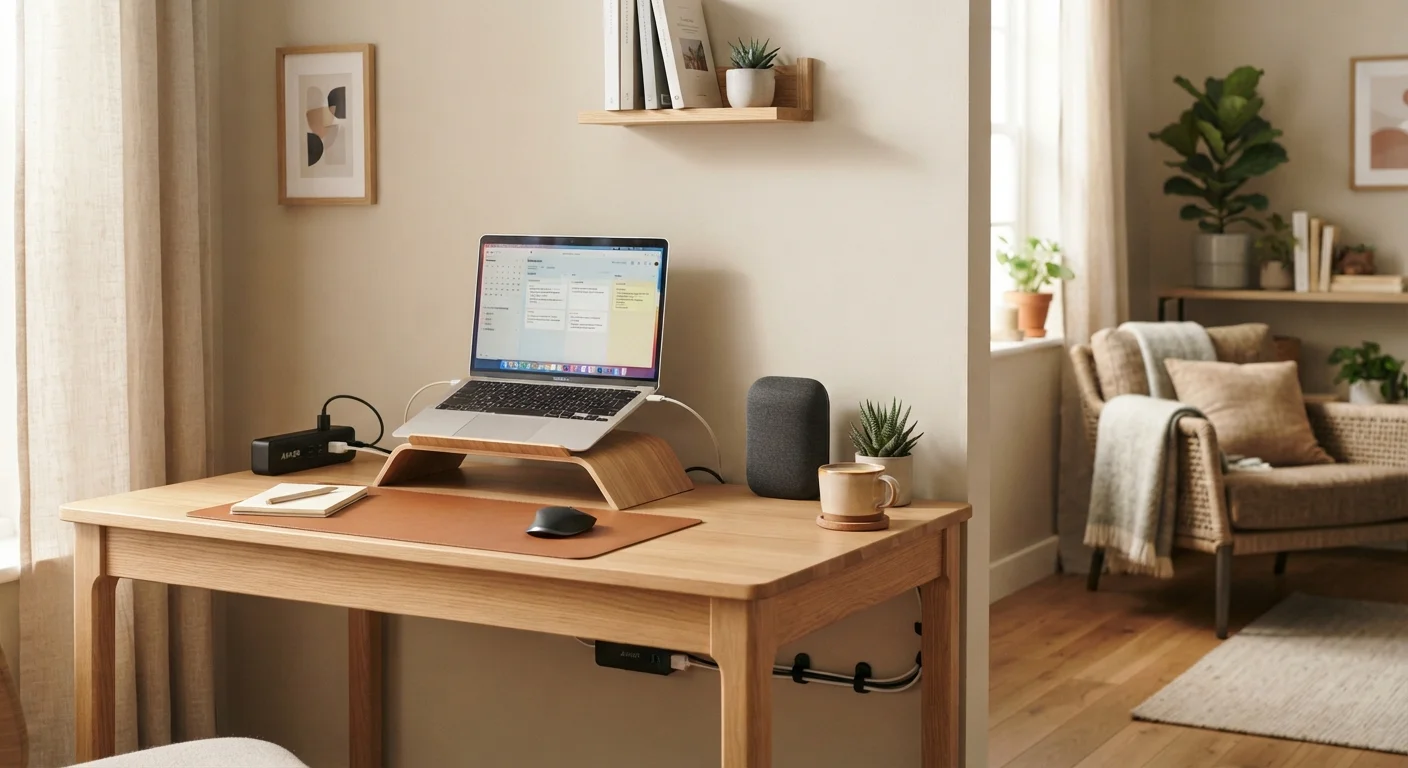
Photo credit: ProximityFinds.com | One-stop Reading Source
In this article
Moving out on your own and figuring out what electronics you actually need? This beginner-friendly guide covers the essentials and what to prioritize first.
Key Takeaways
- Internet connectivity is the single most important tech purchase when moving into a new home.
- A smartphone, reliable router, and surge protector form the essential foundation of any home tech setup.
- Laptops and televisions are valuable second-tier additions, but not urgent on day one.
- Smart home devices make sense only after the basics are stable and budgeted for.
- Refurbished electronics can reduce upfront costs, but require careful vetting before purchase.
Why Your Tech Setup Order Matters
When you move out on your own, every purchase competes with rent, groceries, and dozens of other firsts. Electronics are no exception - and the temptation to buy everything at once is real. The problem is that buying out of order wastes money on devices that sit unused while more fundamental needs go unmet.
A structured approach treats your home tech setup like a stack: each layer must be stable before the next one makes sense. Getting that sequence right means your devices actually work together, your internet isn't the bottleneck, and you're not scrambling to afford a router after you've already bought a streaming device. Before you finalize any purchase plan, it's worth pairing your tech decisions with a broader financial plan - our guide to setting up your first monthly budget walks through exactly how to structure that.
Router
A device that connects your home to the internet and distributes that connection wirelessly or via cable to all your devices.
Mesh Wi-Fi
A system of multiple wireless nodes placed around a home that work together to provide consistent coverage - useful in larger or signal-blocked spaces.
Surge protector
A power strip with built-in circuitry that absorbs or blocks sudden electrical voltage spikes to prevent damage to connected devices.
Smart home ecosystem
A platform (such as Amazon Alexa or Google Home) that connects compatible smart devices so they can be controlled and automated together.
Dual-band router
A router that broadcasts on two separate frequency bands (2.4GHz and 5GHz), allowing devices to connect to whichever offers better speed or range.
Certified refurbished
A device that has been returned, inspected, repaired if necessary, and tested to meet performance standards - typically sold with a limited warranty.
The Non-Negotiable First Layer
Three things belong in your home from day one, regardless of your lifestyle or how much you work remotely.
Home Internet and a Quality Router
Nearly every other device in your home depends on internet connectivity. Your internet service provider (ISP) typically supplies a basic modem-router combo, but standalone routers generally offer better coverage, speed, and reliability. For most apartments, a dual-band router covers the space adequately. If you're in a larger unit or older building with thick walls, consider a mesh Wi-Fi system - a set of nodes that blanket a space in overlapping wireless coverage.
A Smartphone
If you don't already own one, a smartphone is your single most essential device. It's your camera, navigation tool, banking app, communication hub, and emergency resource all in one. Our overview of smartphone ownership across life stages covers how needs shift and what features to evaluate at different points in life.
A Surge Protector
This is the least glamorous purchase on the list and one of the most important. A surge protector guards all your connected devices against voltage spikes. Look for one with a joule rating above 1,000 - that number reflects how much energy it can absorb before it stops protecting your devices. Understanding how your home handles electrical load is also useful context; our explainer on home electrical panels demystifies the basics.
The Second Tier: Productivity and Entertainment
Once your internet and core devices are stable, the second layer focuses on how you work and unwind at home.
Laptop or Desktop Computer
If your job or education requires it, a computer moves up to near-essential. For most first-time adults, a laptop offers the best combination of portability and functionality. When evaluating options, prioritize RAM (at least 8GB for everyday tasks), storage capacity, and battery life over brand prestige or processing benchmarks you're unlikely to ever stress.
Television
A TV is a meaningful quality-of-life addition, but it can wait until you're settled. Modern smart TVs include streaming apps built in, reducing the need for separate streaming sticks or boxes. Screen size should match your room's dimensions - a 55-inch panel in a small studio can actually be harder to watch comfortably than a well-positioned 42-inch set.
Match Screen Size to Your Space
Before buying a TV, measure the distance between your seating and where the screen will sit. A general rule of thumb is that your viewing distance in inches should be roughly 1.5 to 2.5 times the screen's diagonal measurement. Buying bigger isn't always better - it can cause eye strain in smaller rooms.
Smart Home Devices: When to Add Them
Smart speakers, connected lights, video doorbells, and smart thermostats are genuinely useful - but they belong in a later chapter of your setup, not the first one. These devices work best when you've lived in your space long enough to know which friction points they'd actually solve.
If you decide to invest in smart home tech, the most important decision is which ecosystem to anchor to. The three major platforms - Amazon Alexa, Google Home, and Apple HomeKit - each have distinct device compatibility, privacy approaches, and automation capabilities. Mixing ecosystems can create devices that don't communicate with each other. Our comparison of the three major smart home ecosystems explains what differentiates them before you commit to one.
Smart Home Devices Require Long-Term Commitment
When you buy into a smart home ecosystem, you're not just buying a device - you're choosing a platform. Manufacturers occasionally discontinue products or drop software support, which can leave devices non-functional. Research the longevity and update track record of any platform before investing heavily in its hardware.
Protecting Your Devices and Your Budget
Building a home tech setup is an investment, and protecting it involves more than buying cases and screen protectors - though those matter too.
For reducing upfront costs, refurbished electronics are a legitimate option. Certified refurbished devices from reputable sellers often come with warranties and have been tested to manufacturer standards. That said, the term "refurbished" is used loosely in the market. Before purchasing any secondhand device, use our refurbished electronics checklist to verify condition grading, return policies, and seller credibility.
On the maintenance side, the choices you make daily have a bigger impact on device longevity than most people realize. Charging habits, heat exposure, and software update frequency all affect how long a device remains reliable and capable. Our guide to extending the life of consumer electronics outlines the most impactful habits. Finally, keep your home organized enough that devices aren't getting knocked off surfaces or buried under clutter - if that's already a challenge, getting started with home organization offers a practical starting point.
Don't Skip Surge Protection for High-Value Devices
Plugging an expensive laptop or television directly into a standard wall outlet - or a basic power strip without surge protection - leaves it vulnerable to electrical damage. A single voltage spike can cause irreversible harm. Use a surge protector rated for your device's wattage from day one.
Frequently Asked Questions

Author
Technology Editorial Team
Technology Editorial Team is the collective byline for our editorial team and contributor network. Articles published under this byline or an editorial pen name are researched, written, and reviewed according to our editorial standards for clarity, consistency, and independence before publication.
View all articles →