
What to Consider When Choosing Between Phone Storage Tiers
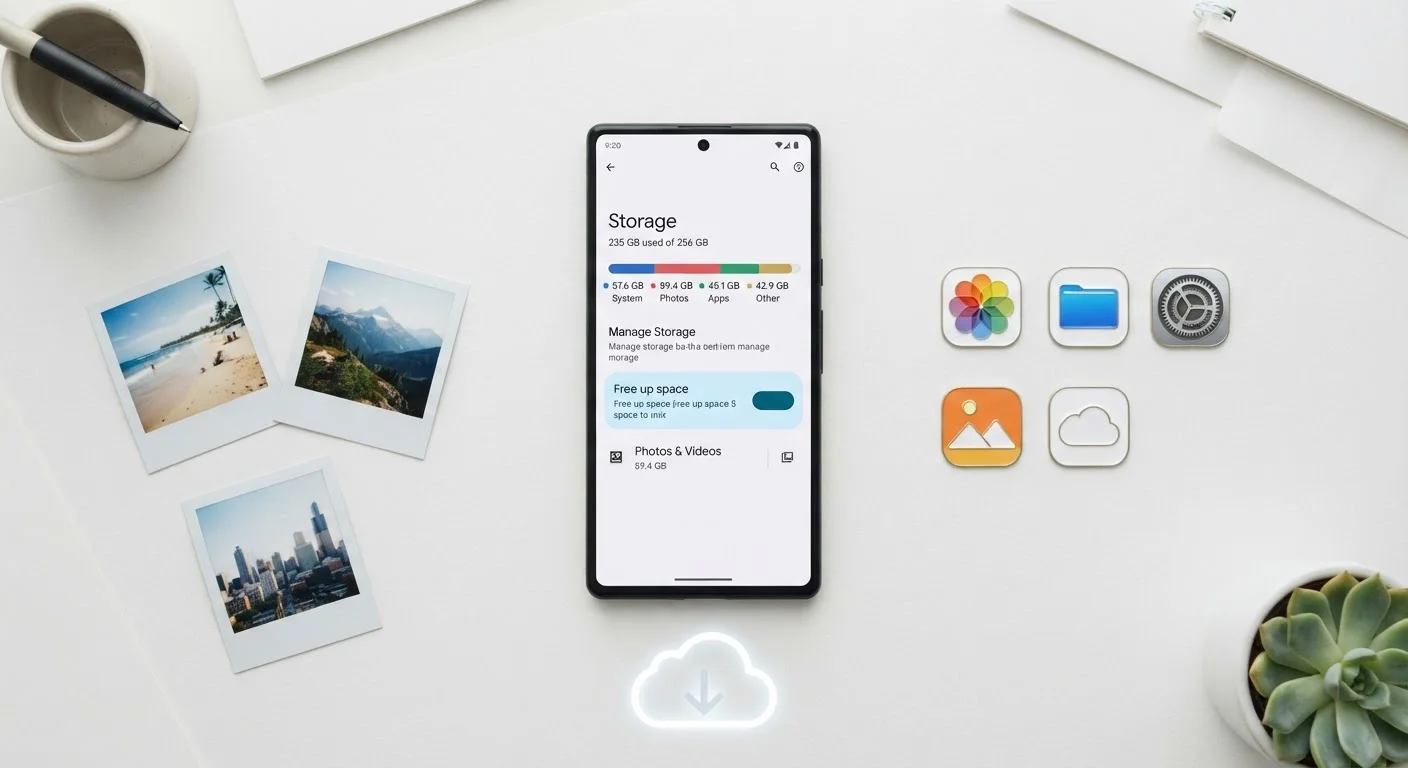
Photo credit: ProximityFinds.com | One-stop Reading Source
In this article
64GB, 128GB, 256GB—how much storage do you actually need? A clear breakdown of what fills space and when upgrading is worth it.
Key Takeaways
- Most everyday users find 128GB sufficient, but heavy photo and video shooters often need more.
- Storage cannot be expanded on most modern iPhones and many Android flagships - choose carefully at purchase.
- Apps, system software, and cached data consume more space than most buyers anticipate.
- Cloud storage offloads some burden but requires a reliable data connection and ongoing subscription costs.
- Upgrading one storage tier typically adds $50-$100 to a phone's purchase price.
Why Storage Tier Matters More Than It Used To
A decade ago, 16GB felt workable. Today, a single 4K video clip can top 400MB, and flagship camera apps routinely produce RAW photo files exceeding 25MB each. Meanwhile, popular mobile games regularly require 2-4GB of local storage just to install. Storage requirements have quietly outpaced what many buyers expect when scanning a spec sheet.
What makes this consequential is that most modern smartphones - including the entire iPhone lineup and many premium Android devices - do not offer expandable storage via microSD card. The tier you select at purchase is the tier you live with for the life of the device. Understanding what fills that space is the essential first step. For a broader look at how storage fits into the full spec picture, see our smartphone specs field guide.
25MB+
Average RAW photo file on flagship phones
Modern flagship cameras shooting in RAW or ProRAW format routinely produce files of 25MB or larger per shot.
10-15GB
Storage reserved by the operating system
Both iOS and Android reserve a meaningful portion of advertised storage for system files before any user content is added.
$50-$100
Typical cost to move up one storage tier
Retail pricing across major smartphone lines consistently shows a $50-$100 increment between adjacent storage configurations.
What Actually Eats Your Storage
Storage disappears from several directions simultaneously:
- Operating system and pre-installed apps: iOS and Android each reserve a significant slice - typically 10-15GB - before you install a single third-party app.
- Photos and video: The default shooting modes on modern phones produce large files. A single minute of 4K/60fps footage can consume over 400MB. Shooting in portrait mode, HDR, or Live Photo formats adds overhead.
- Apps and games: Social media apps with large local caches, streaming apps with downloaded content, and graphics-heavy games are the biggest culprits. A single console-quality mobile game can occupy 3-6GB.
- Offline media: Downloaded podcasts, Spotify playlists, and Netflix episodes add up quickly for commuters and frequent travelers.
- System updates and caches: Over time, app caches and update staging files quietly consume gigabytes that don't show up clearly in storage breakdowns.
Check Your Current Usage Before Buying
On your existing phone, navigate to Settings > Storage (Android) or Settings > General > iPhone Storage (iOS) to see a breakdown of what's consuming space. If you're consistently above 80% capacity, plan to buy at least one tier higher on your next device. This real-world snapshot is far more reliable than estimating from scratch.
Understanding your actual usage pattern - not your aspirational one - is the most reliable guide to picking the right tier.
Comparing the Common Storage Tiers
Here's how the three most widely available storage options stack up across practical dimensions:
| 64GB | 128GB | 256GB | |
|---|---|---|---|
| Typical usable space (after OS) | ~50GB available | ~112GB available | ~240GB available |
| Best suited for | Light users, cloud-first | Most everyday users | Heavy shooters, gamers |
| 4K video capacity (approx.) | ~2 hours | ~4.5 hours | ~10 hours |
| App & game headroom | Limited - fills quickly | Comfortable for most | Ample for power users |
| Typical price premium over base | Base tier | +$50-$100 | +$100-$200 |
| Recommended cloud plan? | Strongly recommended | Helpful but optional | Optional for most |
The jump from 64GB to 128GB has become the most defensible upgrade for almost any buyer. The jump from 128GB to 256GB makes sense for users who shoot a lot of video, resist paying for cloud subscriptions, or expect to keep a device for three or more years.
The Cloud Storage Trade-Off
Cloud services - Google Photos, iCloud, Amazon Photos, and others - can meaningfully offset on-device storage demands, but they come with conditions worth understanding. Automatic photo backup requires a reliable mobile data or Wi-Fi connection. Accessing cloud-stored content while traveling internationally or in areas with poor coverage may not be possible. There are also ongoing subscription costs: iCloud storage plans and Google One plans both charge monthly fees beyond a modest free tier.
For users who travel frequently or rely on their phone heavily in rural areas, cloud dependency introduces real friction. If that describes you, buying more on-device storage upfront may cost less over a two-year ownership window than paying for expanded cloud tiers. The right storage strategy also shifts with life stage - a teenager downloading games has very different needs than a grandparent who primarily calls and texts.
Cloud Isn't a Substitute for Local Storage
Relying entirely on cloud storage means your photos, videos, and downloaded content are inaccessible without a data connection. Travelers, rural users, and anyone on a limited data plan should account for this before choosing a lower storage tier based on cloud availability alone. Losing access to critical files mid-trip is a common and avoidable frustration.
Making the Decision: A Practical Framework
Before choosing a storage tier, consider these factors honestly:
- How long do you plan to keep the phone? A two-year upgrade cycle allows more flexibility than a four-year hold. Storage needs tend to grow as apps update and camera quality improves.
- Do you shoot video regularly? Even occasional 4K videographers will find 64GB frustrating within months.
- Are you comfortable with cloud subscriptions? If not, buy more local storage upfront.
- What's your price sensitivity? Moving up one storage tier generally costs $50-$100 at retail. Weighed against a two-to-three-year ownership period, that's a modest premium for peace of mind.
For additional context on how phone decisions fit into the broader carrier ecosystem, the cell phone plans guide covers what to evaluate when pairing a device with the right plan. And if you're considering buying your phone outside of a carrier contract, unlocked phone trade-offs are worth reviewing before you commit.

Author
Technology Editorial Team
Technology Editorial Team is the collective byline for our editorial team and contributor network. Articles published under this byline or an editorial pen name are researched, written, and reviewed according to our editorial standards for clarity, consistency, and independence before publication.
View all articles →